In this Trust Wallet Review, we take a closer look at one of the most widely used non-custodial crypto wallets in the market. We’ll cover its features, supported assets, security model, staking options, and overall usability in 2026.
As exchange hacks, phishing attacks, and wallet drainers continue to target crypto users, self-custody has become increasingly important. While centralized exchanges have improved their security standards, many investors still prefer storing digital assets in wallets where they control the private keys themselves.
Trust Wallet has positioned itself as one of the leading mobile-first crypto wallets for users looking to access DeFi, NFTs, staking, and multi-chain assets from a single application.
About Trust Wallet
Trust Wallet is a non-custodial cryptocurrency wallet that supports millions of digital assets across dozens of blockchain networks including Ethereum, BNB Chain, Solana, Bitcoin, Polygon, Avalanche, Arbitrum, and more.
The wallet also includes staking support, token swaps, NFT storage, and built-in access to decentralized applications through its Web3 functionality.
Trust Wallet was originally launched by Viktor Radchenko, who designed the application to simplify ERC-20 token management on mobile devices. Binance later acquired the wallet in 2018, helping expand its ecosystem reach and user base globally.
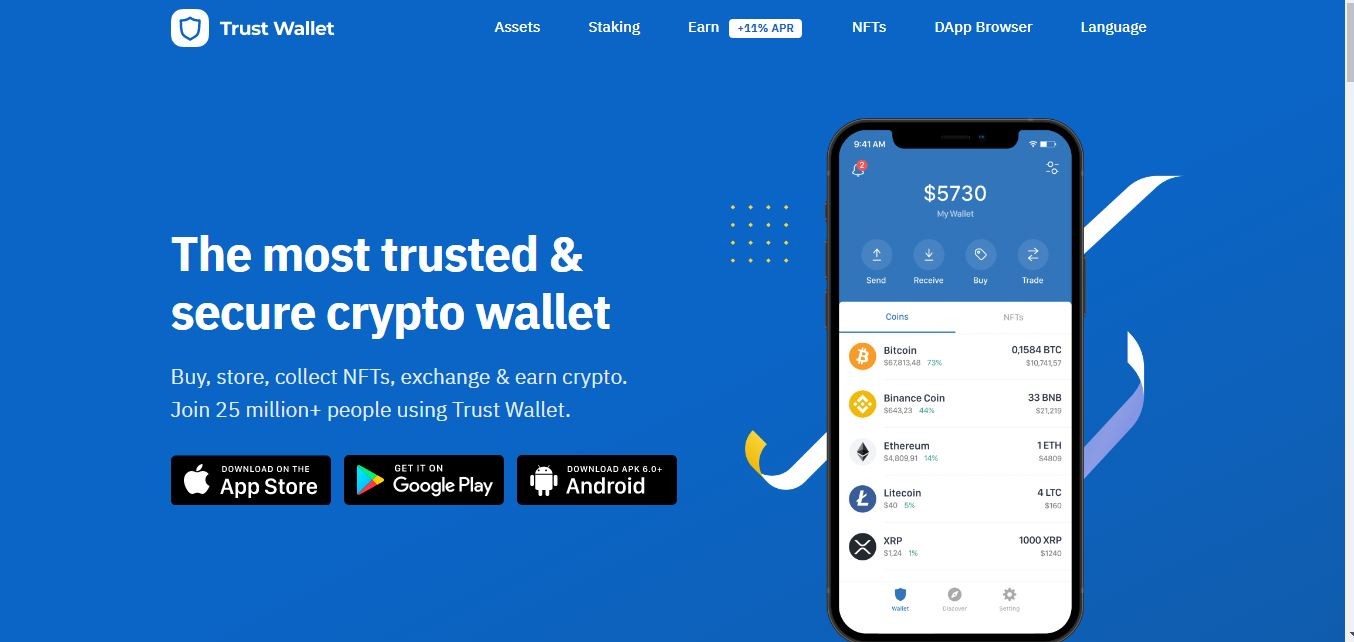
Today, Trust Wallet is available on both Android and iOS and has grown into one of the most recognized mobile crypto wallets in the industry.
The application allows users to buy, store, swap, send, and receive cryptocurrencies directly from their smartphones. Users also retain full control over their recovery phrase and private keys, which are stored locally rather than on centralized servers.
Another major advantage is privacy. Trust Wallet does not require mandatory KYC verification to create or use the wallet itself since it operates as a self-custody platform. Also Read: Best Loopring Wallets
Quick Summary
Trust Wallet remains one of the most popular non-custodial crypto wallets in 2026. The wallet supports millions of assets across multiple blockchains, offers staking functionality, NFT management, token swaps, and Web3 access, all within a mobile-first interface.
The app is free to download and does not charge account setup or subscription fees. Users only pay standard blockchain network fees when making transactions or swaps.
Trust Wallet is particularly popular among DeFi users, NFT traders, and investors looking for a simple way to manage multi-chain assets without relying entirely on centralized exchanges.
Background
Trust Wallet was created by Viktor Radchenko, a software developer who became interested in cryptocurrency during the early growth of Ethereum and ERC-20 tokens.
At the time, managing Ethereum-based assets through mobile devices was far more complicated than it is today. Most wallets had limited ERC-20 support and poor user experience.
Viktor began building Trust Wallet in 2017 with the goal of creating a cleaner and more accessible mobile wallet for storing Ethereum tokens securely.
The project gained traction quickly during the ICO boom and eventually attracted the attention of Binance, which acquired Trust Wallet in 2018.
Since then, the wallet has expanded far beyond Ethereum and now supports dozens of blockchain ecosystems along with DeFi integrations, NFTs, staking, and Web3 connectivity.
Trust Wallet Key Features
Trust Wallet includes a broad range of features that make it attractive for both beginner and experienced crypto users. Some of its most important features include:
1. User Interface
One of Trust Wallet’s strongest advantages is its simple and beginner-friendly design. The application is easy to install, navigate, and manage even for users entering crypto for the first time.
The interface keeps portfolio balances, tokens, NFTs, staking options, and decentralized applications accessible without becoming overly technical.
Over the years, this ease of use has helped Trust Wallet build one of the largest mobile wallet user bases in crypto.
2. Free to Use
Trust Wallet does not charge users for downloading or maintaining the wallet.
The only fees users encounter are standard blockchain transaction costs or third-party processing fees when purchasing crypto directly through integrated payment providers.
There are no subscription plans or hidden membership charges.
3. Security
Although software wallets do not offer the same offline protection as hardware wallets, Trust Wallet includes several security layers designed to protect user funds.
Private keys remain stored locally on the user’s device rather than centralized company servers. The application also supports biometric authentication, passcodes, encrypted storage, and recovery phrase backups.
Security audits and ongoing updates have also improved the wallet’s reliability over time.
4. Easy Backup
Trust Wallet provides users with a 12-word recovery phrase during setup.
This recovery phrase acts as the master backup for the wallet and can restore access if the device is lost, damaged, or replaced.
Users should write the phrase down carefully and store it securely offline, since losing the recovery phrase may permanently lock access to the wallet.
5. No KYC Requirement
Because Trust Wallet is non-custodial, users can create and use the wallet without completing identity verification.
The platform does not require personal documents or account registration simply to store crypto assets.
This gives users greater privacy and more direct control over their funds.
6. Multi Coin Support
Trust Wallet supports millions of digital assets across multiple blockchain ecosystems.
Users can store Bitcoin, Ethereum, BNB, Solana, Polygon assets, stablecoins, NFTs, and a large range of ERC-20, BEP-20, and SPL tokens within the same wallet.
Its broad blockchain compatibility remains one of the main reasons for the wallet’s popularity.
Trust Wallet Pros and Cons
Pros of Trust Wallet
- Free and simple to use.
- Supports millions of digital assets across multiple blockchains.
- Includes staking, swaps, NFT storage, and Web3 access.
- Users maintain control over their private keys and recovery phrase.
- Compatible with both Android and iOS devices.
- Beginner-friendly interface with strong multi-chain support.
Cons of Trust Wallet
- Software wallets remain more exposed to phishing and malware risks compared to hardware wallets.
- If the recovery phrase is lost, wallet access cannot be restored.
- Advanced DeFi interactions may still confuse inexperienced users.
Trust Wallet Security
As a non-custodial mobile wallet, Trust Wallet focuses heavily on privacy and user-controlled security.
Unlike centralized exchanges, the wallet does not hold user funds or private keys on company-controlled servers. Instead, sensitive information remains encrypted locally on the device itself.
Trust Wallet also does not require mandatory KYC verification simply to use the wallet, helping users maintain additional privacy.
Over the years, the platform has built a relatively strong reputation within the industry, though users still need to protect themselves from phishing attacks, fake wallet applications, and malicious smart contracts. Also Read: Best Kusama Wallets
Most security incidents involving Trust Wallet users typically result from compromised recovery phrases, fake browser extensions, malicious decentralized applications, or social engineering attacks rather than flaws within the wallet itself.
The wallet’s major security features include:
- Private keys are stored locally on the user’s device rather than centralized servers.
- Recovery phrase backup for restoring wallet access.
- Biometric authentication including Face ID and fingerprint security.
- Application passcodes and encrypted wallet storage.
How to create Wallet on Trust Wallet?
Creating a wallet on Trust Wallet is simple and usually takes only a few minutes.
Step 1: Download the latest version of Trust Wallet from the Google Play Store or Apple App Store.
Step 2: Open the application and select the option to create a new wallet.
Step 3: Carefully write down the 12-word recovery phrase shown on the screen.
Step 4: Confirm the recovery phrase in the correct order to complete wallet setup.
Step 5: Set up additional security options such as passcodes or biometric authentication if supported on your device.
Once setup is complete, you can begin storing, receiving, swapping, and staking supported cryptocurrencies directly within the application.
Trust Wallet Charges and Fees
Trust Wallet itself is free to download and use.
However, users still need to pay blockchain network fees whenever sending crypto assets, interacting with smart contracts, swapping tokens, or using decentralized applications.
These fees are determined by the blockchain networks rather than by Trust Wallet directly.
For example, Ethereum transaction fees can become expensive during periods of heavy network congestion, while networks like BNB Chain, Solana, and Polygon generally offer lower transaction costs.
Users purchasing crypto through integrated payment providers may also encounter third-party processing fees depending on payment methods and regional availability. Also Read: Best Algorand Wallets
Supported Cryptocurrencies
Trust Wallet now supports millions of digital assets across dozens of blockchain ecosystems.
Supported networks include Ethereum, Bitcoin, BNB Chain, Solana, Polygon, Avalanche, Base, Arbitrum, Optimism, Tron, Cosmos, and many others.
The wallet also supports NFTs, stablecoins, ERC-20 tokens, BEP-20 tokens, and multiple Layer 2 assets.
Compared to earlier versions of the wallet that focused heavily on Ethereum assets, Trust Wallet has evolved into a true multi-chain crypto wallet.
Is Trust Wallet Safe?
Trust Wallet is generally considered one of the safer software wallets available, particularly for users looking for a non-custodial mobile solution.
The wallet does not store user information or private keys on centralized servers, helping reduce the risk of large-scale centralized data breaches.
At the same time, software wallets are still dependent on the security of the user’s device. If a smartphone becomes infected with malware or if a recovery phrase is exposed, funds may still be at risk.
Users should also remain cautious when approving transactions through decentralized applications, especially in DeFi environments where phishing scams remain common.
The biggest risk remains user error. Losing access to the recovery phrase or storing it insecurely can permanently lock users out of their wallets.
Conclusion
Trust Wallet has grown far beyond a basic mobile crypto wallet. It now functions as a full multi-chain gateway for DeFi, NFTs, staking, token swaps, and Web3 applications.
The wallet’s biggest strengths remain accessibility, broad blockchain support, and self-custody control. Beginners can use it for simple crypto storage, while experienced users can connect to decentralized applications and manage assets across multiple ecosystems.
While hardware wallets still provide stronger long-term cold storage protection, Trust Wallet remains one of the better software wallet choices for users who actively participate in the crypto market from mobile devices.
Its combination of usability, privacy, and Web3 functionality explains why it continues to rank among the most downloaded cryptocurrency wallets in 2026.